Reachy Mini: Testing in MuJoCo
While my Reachy Mini is still on its way, I've been testing it in MuJoCo, with music dances, a wheeled base that drives around obstacles, and a voice mode that is still finding its personality.
Recently, I ordered a Reachy Mini to practice building interactive robots. I wanted to get a Microduck, but it won't ship until after Christmas, so I decided to start with the Reachy Mini. While waiting for it to arrive (it's been six weeks now), I've been playing around with it in MuJoCo.
MuJoCo simulates articulated bodies and their contact with the environment. The Reachy Mini SDK ships with a MuJoCo model of the robot. The SDK talks to a daemon, and the daemon runs either a MuJoCo backend for simulation or the real motors. So the same gesture code I run against the simulator now should be what I send to the real one later.
Playground 1: Reachy Dances
Reachy Mini comes with some basic gestures, including wiggle, nod, shake head, and look curious. I added my own dance by writing out the steps: roll, pitch, and yaw for the head, the antenna angles, and how long each step should take.
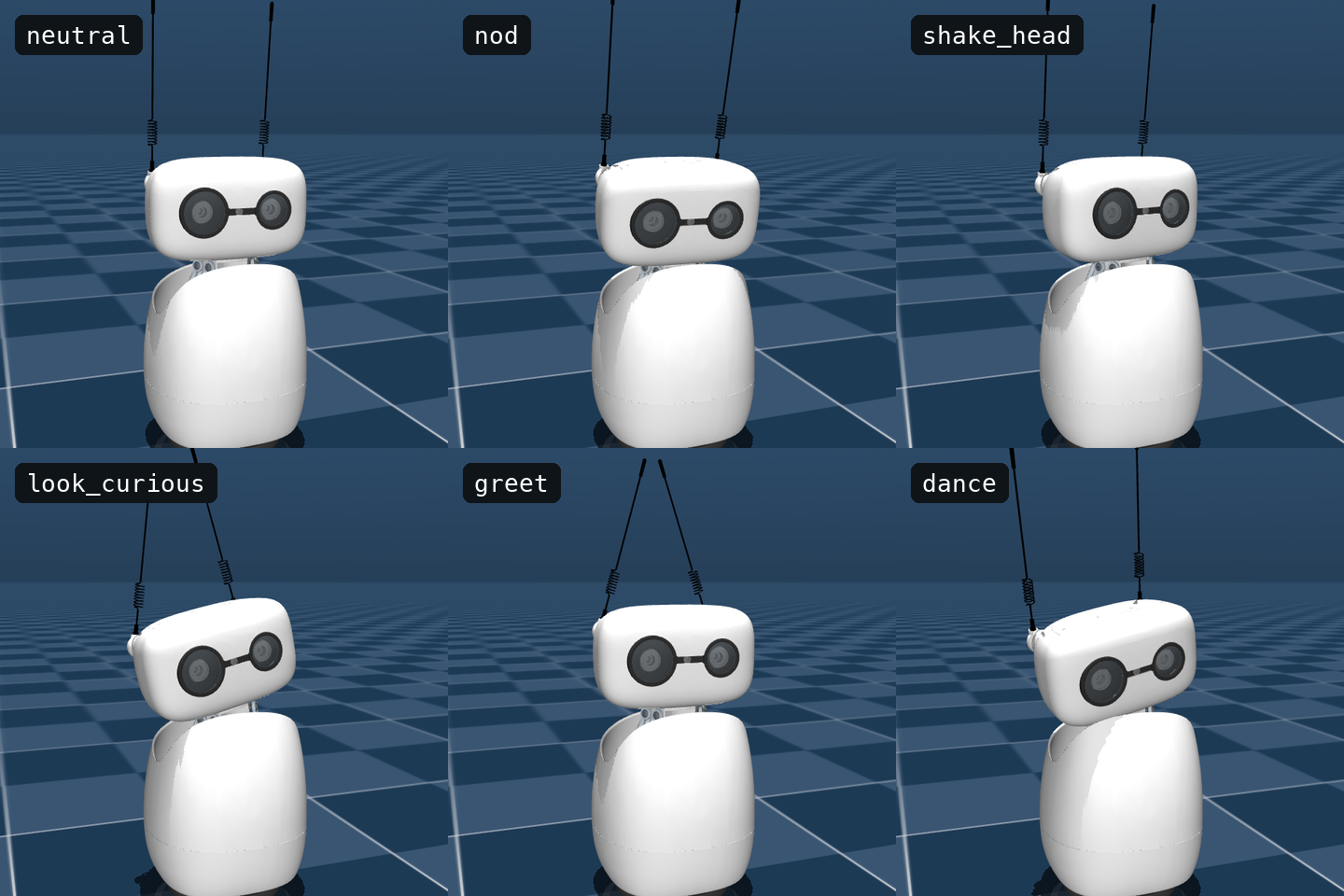
The MuJoCo simulator lets me test the movements while I wait for the actual robot to arrive. It shows me how the movements actually look—a nod that looks fine as numbers can look stiff on screen; a dance that seemed fancy in the action code looked like the robot was having a seizure.
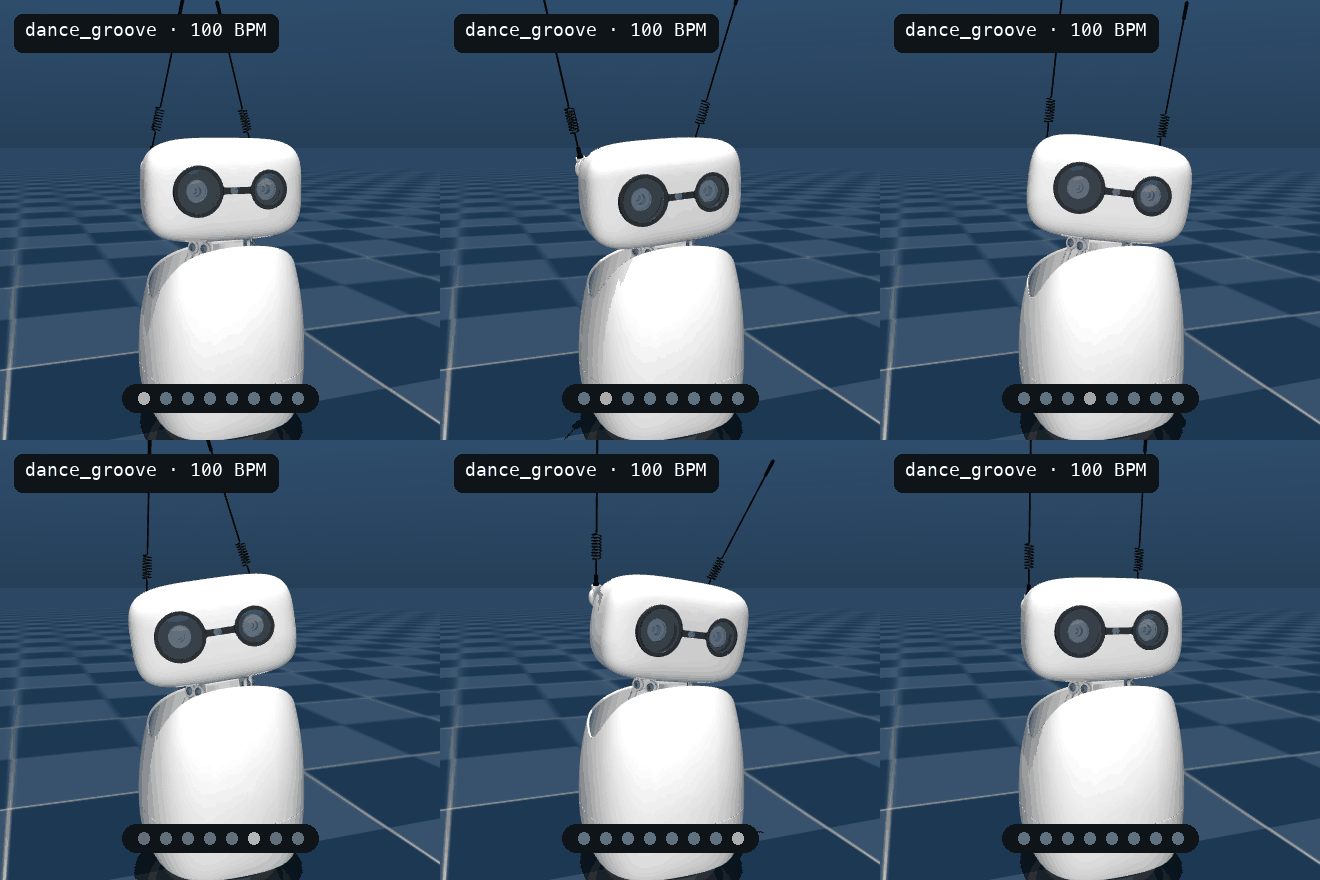
I'm also testing a dance mode that moves to music. I pick a song from my computer, and Reachy dances on the beat in one of three styles: groove (side-to-side sways), orbit (head circles), or robot (sharp little accents). The dance moves still feel quite stiff, but it's already dancing better than I do in real life.
Here are the first four beats of the groove pattern. Each row gives the head angles and antenna positions for one beat:
# (beats, roll, pitch, yaw, (antenna angles))
# All angles are in degrees. First 4 of 8 beats.
GROOVE = (
    (1, 10, 0, 12, (15, -15)),
    (1, 0, 8, 0, (-20, 20)),
    (1, -10, 0, -12, (-15, 15)),
    (1, 0, -8, 0, (20, -20)),
    ...
)
It doesn't just jump between those poses. Reachy eases from one to the next so each one lands on the beat. There's also an energy setting that scales the angles up or down—same dance, just bigger or smaller.
Playground 2: Reachy on Wheels
I also want the Reachy Mini to be able to move around my room rather than just sit on my desk and dance to my questions. So I started looking for a base I could actually mount Reachy on, and picked the Waveshare UGV02, a six-wheel base with four powered wheels, to try in the simulation.
I used Codex to add obstacles and a virtual range sensor to the scene. Then I gave the robot a destination, so it had to use the sensor readings to find a way around the boxes and toys.
The sensor sweeps all the way around at two heights, including a lower sweep for small toys. Its readings go onto a grid map, with extra space blocked out around obstacles so the planner leaves room for the base.
The path updates every half a second as new readings come in. I capped the speed at 0.16 m/s, which is slow, but slow felt safer for a first try. In the GIF below, the goal is 1.8 meters ahead, and I count it as arrived if it stops within 7 cm.
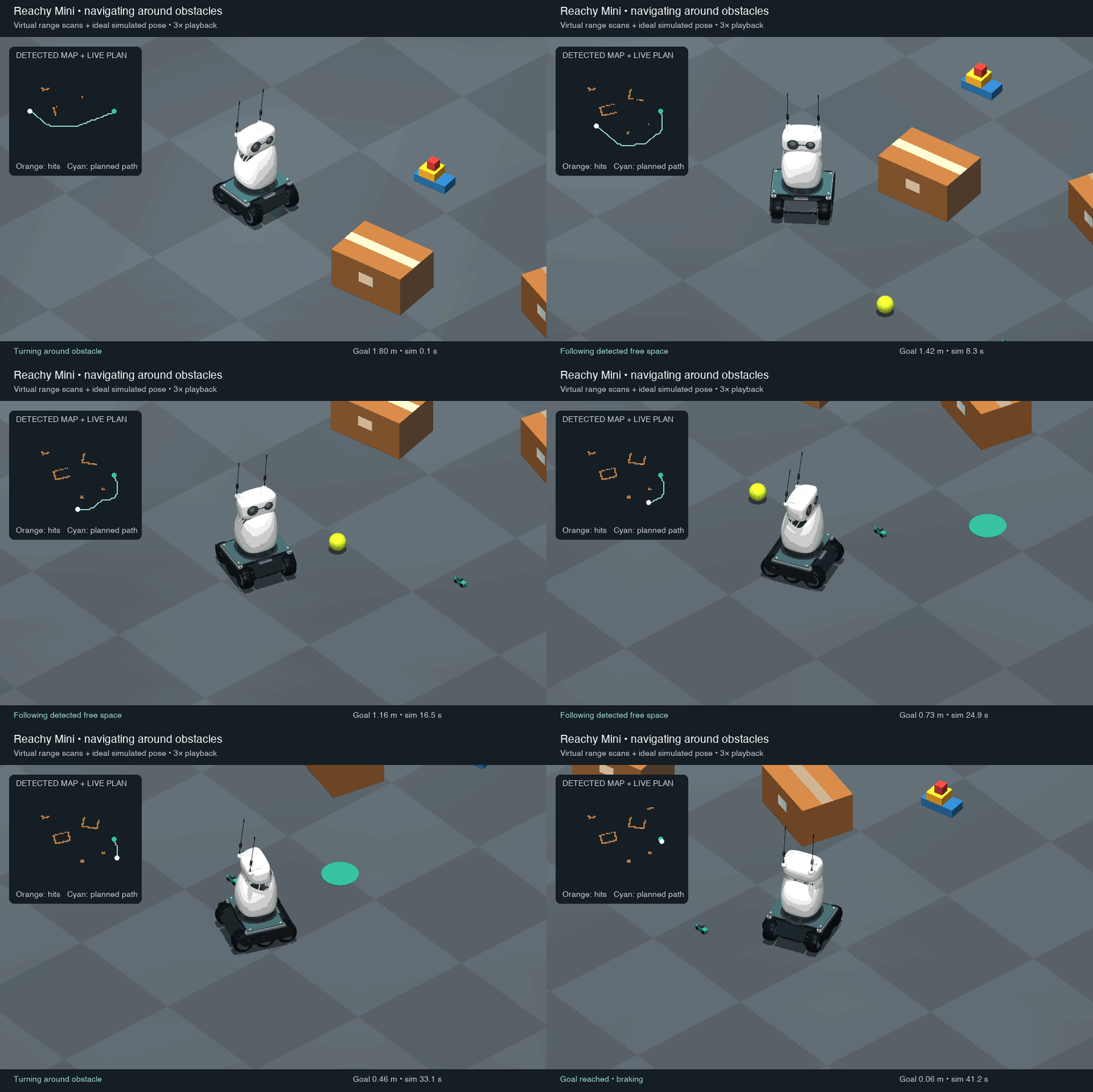
So far, I have tried it in five slightly different layouts, and it reached the goal each time, stopping within the 7 cm I allowed, without bumping into anything. I also tried a blind version where the sensor always reports "nothing there." That one drives into the first box. That was reassuring in a strange way—it shows the detour in the normal runs is coming from the sensing, not from a lucky straight line.
This is all still simulation: the sensor readings are unrealistically perfect, and the weight and friction only exist in code. On the real base, I expect the first things to break are the mount (still my own guess), the friction, and the fact that Reachy doesn't actually have this range sensor at all.
Playground 3: Reachy Talks to Me
The other part I've been working on is adding OpenAI's gpt-realtime-2.1 model so I can have a conversation with Reachy. I used Codex to put together a small local Voice Lab where I can talk to Reachy through my Mac's microphone while the MuJoCo window shows it moving. The model can call a few predefined gestures and run a web search, and the controller tilts the head while the model is thinking. Each session is saved on my Mac with the token usage, so I can see which conversations are eating up the most tokens while I'm testing.
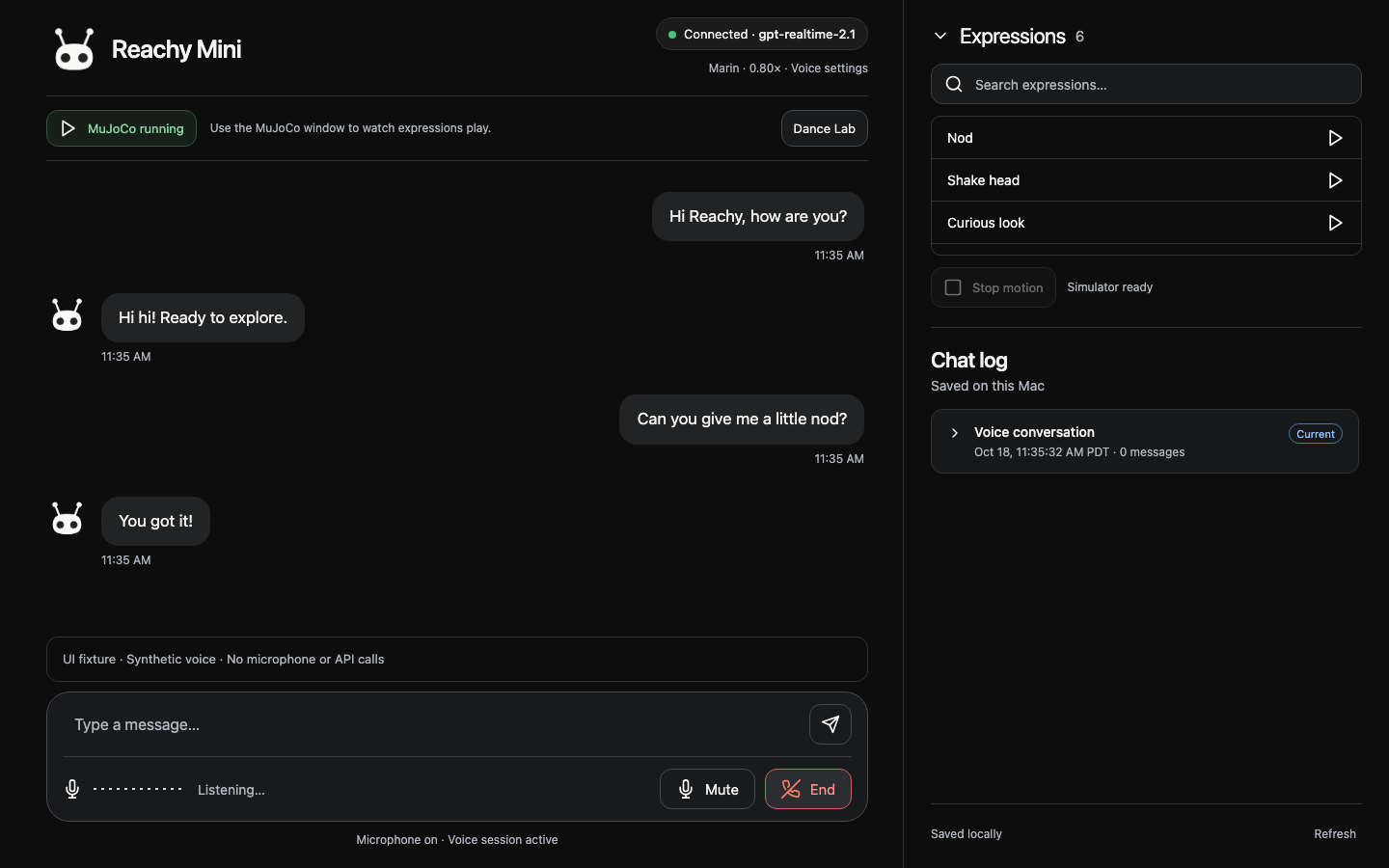
Without much tuning, the first version sounded like a regular ChatGPT voice. It answered in full sentences, explained itself, and offered more help at the end. That took the cuteness out and didn't really fit the tiny robot I had in mind.
To give it more of a personality, I tried a mascot style first: short phrases like "Oh hi!" or "Roger that!" and no long, over-explained answers. The core of what I ended up telling it:
You are Reachy, a tiny friendly robot mascot in a MuJoCo simulator. Sound warm, light, playful, and gently expressive. Default to one short phrase of 2–6 spoken words; at most 10 words per reply. Do not repeat the user's request, introduce yourself at length, narrate your gestures, add explanations, or end with offers to help. Only when explicitly asked for detail, give up to two short sentences.
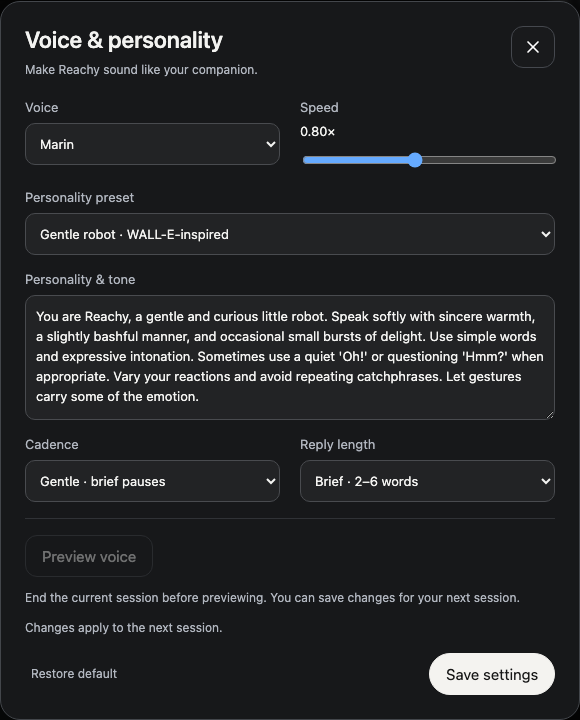
There are still a lot of improvements needed. These are instructions to the model, not hard rules, so it doesn't always stay in character. Sometimes the replies are so short they don't answer the question at all. Sometimes I ask one normal question and it slips straight back into assistant mode, full sentence and an offer to help at the end. Finding a voice that feels cute but still answers the question is harder than I thought.
I also tried having it answer only with "WALL-E" or "PIKA PIKA," but that failed for a different reason: with only one or two sounds, everything depends on tone, and I haven't given it a way to do tone yet. So it just sounds stuck.
Pollen Robotics also has an emotions library for Reachy Mini. It has 81 recorded moves, each with a sound and a short note on when to use it. The moves include amazed, attentive, confused, and even a furious one for when it's "truly outraged." Those notes read almost like instructions for a language model, so they could become more gestures for the voice mode to call. I still need to filter it down to a list of actions I would actually use for my Reachy.
This is my first robotics project, and my first time using MuJoCo. Pollen's documentation and the tools on Hugging Face made it much easier to just start playing around, which I appreciated. At the moment I have a Reachy that dances, drives, and talks—none of it finished, all of it only in simulation.
When the real one arrives, my order will be: gestures first, with no wheels and no voice, to see if the same code still looks right on real motors. Then voice at my desk, to check if the short replies still feel cute when the head is actually moving in front of me. Wheels last, and only once the mount feels solid, because the range sensor in the simulation does not exist in my room.
Pollen has also moved the robot's audio, video, and motor control onto one WebRTC connection. My setup only uses WebRTC for audio, so I'll revisit that once the real robot is on my network.
In the meantime, I'll keep building out the voice mode as well as the fancy dance moves.